


ReceiptJar - Turn your receipt
4.33.92K Reviews
App Specs
- Version
- 9.43.1
- Updated On
- License
- Free
- Downloads
- 1,000,000+
- Developer
- The U Group & Co
- Categories
- Lifestyle
- Platform
- Android
Screenshots
 Analysis by AppCompare
I treat receipt-reward apps with a little caution: a receipt can reveal more about a person’s habits than its small size suggests. ReceiptJar sits in the lifestyle category, where it turns everyday shopping records into a points-based activity. The appeal is easy to understand, but I would approach it as an optional extra rather than a reason to change where or how I shop.
The app is free, developed by The U Group & Co, and rated for Everyone. It has a 4.3 average from around 53,000 ratings, with more than a million installs. Those figures show that plenty of people have tried it, but they are not a substitute for checking whether its current choices suit your own comfort level. I would make that decision based on what the app asks me to share and the controls I can see while using it.
What I would check before making receipts a habit
Receipt scanning is convenient precisely because it transfers information from a paper slip into an app. Before uploading anything, I would look over the receipt itself: it may show a store, purchase time, items, and totals. If a slip includes details I do not want to share, I would pause rather than assume the scan is limited to the amount spent.
I would also review the app’s visible settings and account options before connecting any other source of receipts. A useful rule is to start with the narrowest workflow that still makes the app worthwhile: try a receipt you are comfortable sharing, see how the process behaves, and only then decide whether to make it part of your routine. That keeps the choice deliberate instead of automatic.
The current version is 9.43.1, and it supports Android 6.0 or later. That makes it potentially usable on older Android phones, though a device’s camera and operating condition still affect the day-to-day experience. If you use iOS, check the current App Store compatibility details before installing, since I would not assume that an Android minimum applies there.
Rewards are a bonus, not a reason to overspend
The points-and-gift-card idea is best viewed as a small return on purchases you were already making. I would not buy extra items, choose a more expensive shop, or make a purchase just to create another receipt. The value of any reward depends on the points required and the options available when you redeem, so it is sensible to check those details in the app rather than mentally counting every uploaded slip as cash.
This also helps set a realistic expectation: receipt rewards are not the same as a conventional cash-back card or a price-comparison service. A card may return money through a payment account, while a price tool helps you avoid paying more in the first place. ReceiptJar’s distinct role is to make eligible purchase records useful within its own rewards system. If immediate, predictable savings are your priority, I would compare those alternatives first.
Worth Reading Before You Choose

EA SPORTS FC Mobile 26 Is a Bigger Football Game, but It Takes Time

Flipboard Shows What News Apps Must Do Beyond the Feed

Switching to Android Auto Means Rethinking Your Driving Routine

Google Calendar Makes a Crowded Week Easier to Manage

Ludo King Makes the Most of the Minutes Between Plans

Baby Panda World Brings Quick Play to Modern Phones, but Its Game Library Feels Busy
A low-effort routine that avoids receipt clutter
For a practical trial, I would keep a small envelope or tray for receipts I have decided are suitable to upload, then scan them in one short session after shopping. That is easier than stopping at the checkout or letting paper pile up in a bag. I would check that each image is readable before discarding the paper, especially if I might need it for a return or warranty claim.
I would keep receipts that serve another purpose outside the app. A reward submission is not a replacement for proof of purchase when returning an item, tracking a work expense, or keeping a record for household budgeting. If you need a proper expense ledger, a budgeting app or a dedicated receipt-management tool may be a better fit; if you mainly want to try earning points from ordinary shopping, this app’s narrower focus is more appealing.
There is a trade-off between convenience and review. Scanning each slip as soon as it is received can prevent a backlog, but it also makes sharing purchase details more routine. Waiting until later gives you a chance to sort receipts first, though it requires a little discipline. I would choose whichever rhythm makes it easy to inspect what I am submitting rather than tapping through on autopilot.
When deciding whether to keep using it, I would ask three simple questions: Is the scanning process easy enough to repeat? Do the rewards feel worthwhile for purchases I would make anyway? Am I comfortable with the information visible on the receipts I submit? If any answer is no, there is little reason to force the habit. You can use a receipt organizer, a spreadsheet, or no tracking tool at all.
Ever stumbled upon a pile of receipts and thought, “There’s got to be a better way to handle this”? Well, I recently discovered ReceiptJar, an app that promises to take those pesky pieces of paper and turn them into something worthwhile. Intrigued? Let me take you through my experience with this nifty little app.
Getting Started with ReceiptJar
Right off the bat, downloading ReceiptJar was a breeze. It’s available on both Android and iOS, so no matter your preference, you’re covered. Once you’ve got it installed, setting up an account is straightforward. You just need to pop in a few details and you’re good to go. Seriously, it’s as easy as pie.
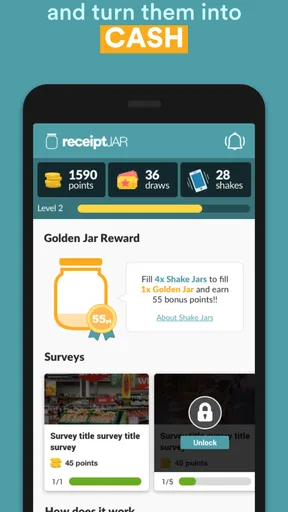
What I loved was how intuitive the interface is. You’re greeted with a clean, user-friendly dashboard that doesn’t overwhelm you with too many options at once. The layout is simple and direct, which is exactly what you need when you’re trying to get things done quickly.
The Magic of Turning Receipts into Rewards
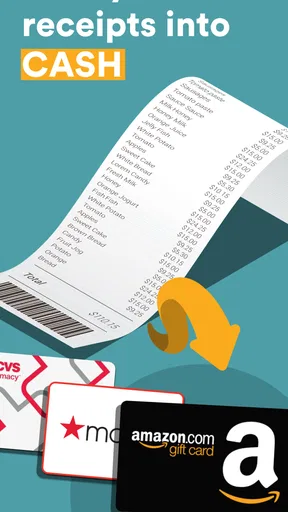
Now, onto the fun part: turning your receipts into rewards. The process is incredibly simple. You snap a picture of your receipt using your phone’s camera, and the app does the rest. It’s like having your very own digital filing assistant!
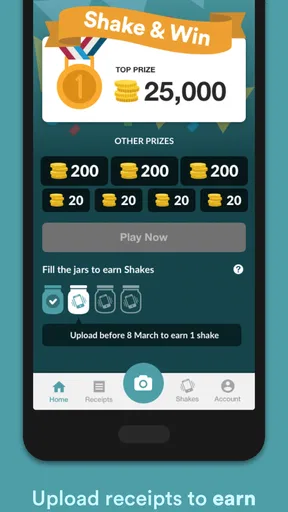
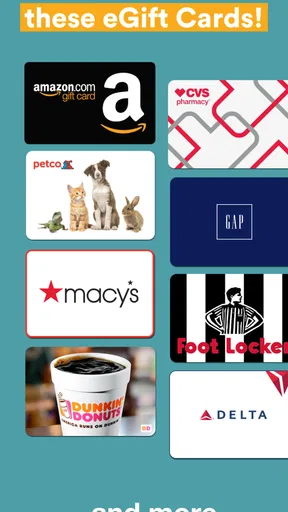
But here’s where it gets interesting. The app doesn’t just store your receipts; it also rewards you for them. Yes, you read that right. The more receipts you upload, the more points you earn. These points can be redeemed for a variety of gift cards. Imagine getting a coffee on the house just because you did some grocery shopping. Sweet, right?
One thing I noticed is how accurate the app is in reading the receipts. It captures all the necessary details, from the store’s name to the total amount spent. The accuracy is top-notch, saving you from the headache of manually entering details.
A Few Handy Features to Note
Besides the rewards, there are a few cool features that make ReceiptJar stand out. For one, it categorizes your spending. This is a game-changer if you’re trying to keep track of where your money is going each month. It makes budgeting a tad easier, and who doesn’t want that?
Another feature worth mentioning is the app’s ability to connect with your email. This means it can automatically scan and import e-receipts, saving you even more time. It’s like having a personal assistant who’s always got your back.
And the cherry on top? The app is secure. They take your privacy seriously, ensuring all your data is encrypted and safe from prying eyes.
Final Thoughts
So, is ReceiptJar worth a download? In my opinion, absolutely. It’s a simple yet effective way to manage your receipts while earning rewards for your everyday purchases. The app is intuitive, the features are genuinely helpful, and the rewards system is the icing on the cake.
If you’re like me and tired of the clutter that receipts bring, give ReceiptJar a shot. It’s not just about keeping things tidy; it’s about making the most out of every dollar spent. And who doesn’t want that?
Ready to dive in? You can find ReceiptJar on both the App Store and Google Play. Happy snapping!
Pros
- Easy-to-use interface for quick navigation.
- Supports various types of receipts.
- Offers rewards for uploading receipts.
- Integrates with multiple retailers.
- Provides detailed spending analytics.
Cons
- Requires internet connection for uploads.
- Limited reward options available.
- Occasional app crashes reported.
- Privacy concerns with data sharing.
- Limited customer support hours.
FAQs for ReceiptJar - Turn your receipt
What is ReceiptJar and how does it work?
ReceiptJar is an app designed to help users earn rewards by scanning and uploading their shopping receipts. Once you take a photo of your receipt using the app, it processes the information and adds points to your account. You can then redeem these points for various rewards, such as gift cards or cash back.
Is ReceiptJar safe to use with personal information?
Yes, ReceiptJar is committed to protecting your privacy and employs strict security measures to safeguard your data. The app only uses the information on your receipts to award points and does not share your personal details with third parties without your consent. Always check their privacy policy for detailed information.
What types of receipts does ReceiptJar accept?
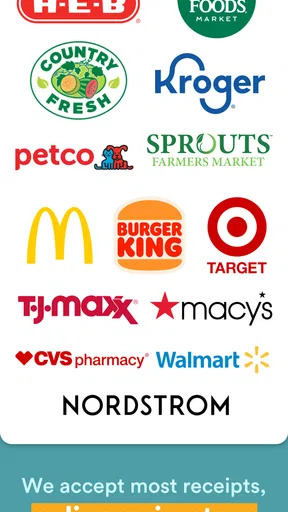
ReceiptJar accepts a wide range of receipts from grocery stores, supermarkets, and other participating retailers. However, they must be itemized and show the store name, date, and total amount to be eligible for points. Digital receipts from online purchases may also be accepted if they meet the app's criteria.
How often can I upload receipts to ReceiptJar?
Users can upload receipts daily, but there is typically a limit to the number of receipts you can submit within a certain period, such as weekly or monthly. This limit ensures fair use and helps manage the app's operational capacity. Check the app’s guidelines for specific restrictions.
How can I redeem my points on ReceiptJar?
Once you've accumulated enough points, you can redeem them through the app's rewards section. Options typically include electronic gift cards to popular retailers or direct cash deposits via PayPal. The redemption process is straightforward and usually involves selecting your preferred reward and confirming the transaction.


